First Grade Learning Games
RosiMosi LLCEducational
4.1921.00 Reviews
- Version
- 11.2.9
- Installs
- 1.00M
- Age Rating
- Everyone
Screenshots
Our Review of First Grade Learning Games
 Analysis by Appyee
Before choosing a learning game for a first grader, I’d ask a practical question: do I want a focused practice tool for one skill, or a varied set of short activities that can hold a child’s attention? First Grade Learning Games is aimed at the second need. It is a free educational game from RosiMosi LLC, and its appeal is the chance to move among different kinds of learning rather than spend a whole session on one worksheet-style task.
That variety can be useful at home when a child has a few spare minutes, or when a parent wants a gentle way to revisit school topics without turning the evening into another lesson. I would treat it as a supplement, not a replacement for reading together, classwork, or help from a teacher. The best fit is a child who enjoys game-like practice and benefits from switching activities; a child who needs a carefully sequenced course or in-depth instruction may be better served by a more structured learning option.
What to check before handing over the device
Think about how your child handles independent play, whether you want to sit alongside them, and what kind of practice is actually useful right now. A broad collection may help when you are not sure which subject will hold their interest, but it also means you may need to guide the first session and notice which activities are a good match. I would start by exploring together, then let the child choose among the available games once they understand how to move around.
The app is listed for Everyone and is free to download, with optional in-app purchases priced from $4.99 to $39.99 per item. That makes it easy to try before deciding whether it belongs in your routine, but I would check the purchase choices with an adult before a child uses the device alone. The game has a 4.2 average from around 7,000 ratings, and more than a million installs; those figures suggest a sizable audience, though they do not tell me whether its teaching style suits every learner.
How to make a short session count
A realistic use case is the ten minutes before dinner: I would invite a first grader to pick one activity, stay nearby while they get started, and ask them afterward to explain one answer or word they remember. That small conversation makes it easier to tell whether the game is reinforcing understanding or simply filling time. If the child gets frustrated, switching to a different activity—or stopping for the day—is more useful than pushing through just to finish.
There is also a practical trade-off in giving children choice. Choosing a game can build independence, but a child may gravitate toward what feels easiest or most familiar. For a balanced routine, I would alternate between letting them choose and suggesting an activity that connects to something they are learning at school. That keeps the app from becoming a random sequence of taps while still leaving room for play.
Where it sits among learning options
Compared with a single-subject practice app, this collection is a better starting point when a child wants variety or has not yet settled on a favorite subject. Compared with printable worksheets or a parent-led lesson, it offers a more playful way to begin, but it cannot respond to a child’s questions the way an adult can. A structured course may be preferable when you need a clear progression from one concept to the next; a book or hands-on activity may work better when the goal is to slow down and talk through an idea.
I would not choose it as the only learning resource for a child who needs targeted remediation, a particular curriculum sequence, or substantial one-to-one explanation. Nor would I assume that a child is mastering a topic just because they can complete a game. Watching them apply the same idea away from the screen—such as explaining a spelling choice or working through a simple sum aloud—is a more meaningful check.
Small habits that improve the experience
One useful approach is to keep sessions brief and give them a purpose: practice a spelling pattern, revisit a math idea, or simply explore a new activity together. Rather than asking a child to keep playing until they earn a reward, I would ask what they noticed and let that answer guide the next session. This helps keep the focus on learning, not only on collecting in-game incentives.
Parents may also want to consider the setting. A quiet moment at home is better for listening to spoken prompts than a noisy waiting room, while a short trip can be a convenient time for an activity that does not depend on a constant internet connection, as described in the app’s original review below. On a shared device, I would check the purchase settings and agree on a stopping point before handing it over; those simple steps reduce interruptions and make the game easier to fit into family routines.
For compatibility, the current version is 11.2.9 and it requires Android 8.0 or later. The app first appeared on May 28, 2012, so it has been around for years, but age alone is not a reason to choose it. I would check that the version available on your device works as expected and, more importantly, that the activities still feel engaging to your child.
Fun Meets Learning
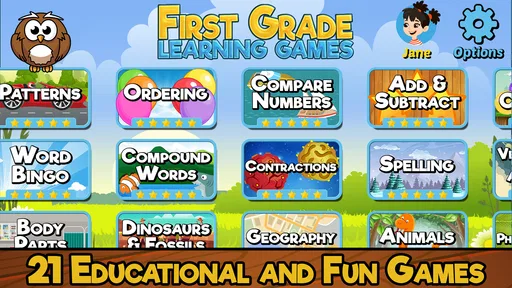
From the moment I launched First Grade Learning Games, I knew it was something special. The bright colors and cheerful graphics immediately set a fun tone, making learning feel less like a chore and more like a play date with knowledge. The app is designed to be intuitive, so kids can navigate through the games independently, which is a big win for busy parents.
Wide Range of Activities
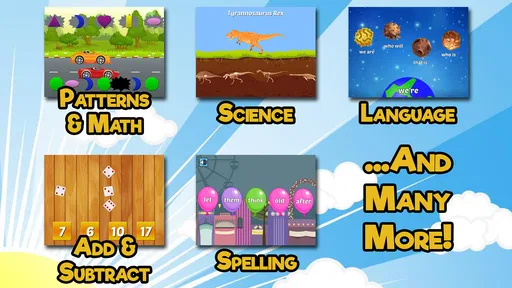
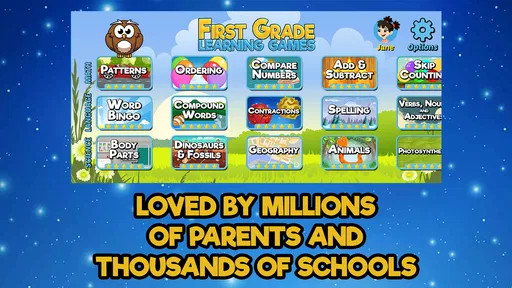
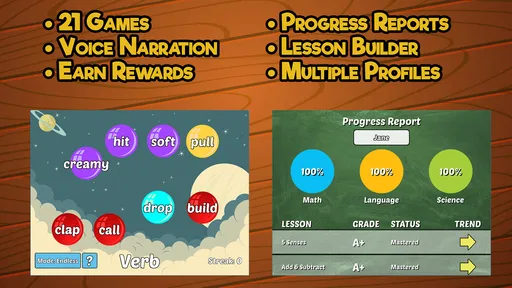
One thing I love about this app is the variety of games it offers. We're talking everything from math puzzles to spelling challenges. There are over 20 different mini-games, each focusing on a specific skill. Kids can practice addition, subtraction, and even work on their spelling and grammar. It's like having a complete curriculum right at your fingertips!
Each game is designed to be interactive and engaging, with plenty of rewards and incentives to keep the little ones motivated. For example, in the math section, kids solve problems to earn stars, which they can then use to unlock fun new games. It’s a clever way to incorporate a reward system without making it feel forced.
Interactive and Engaging
The developers clearly understand what keeps kids interested. The games are short, sweet, and to the point, so they aren't likely to lose interest halfway through. Plus, there’s a friendly voice guiding them along, offering encouragement and tips. It feels like the app comes with its own little cheerleader!
What’s really cool is the mix of visual and auditory learning styles. For example, the spelling games often use both spoken and written prompts, which helps reinforce learning in multiple ways. It’s a holistic approach that can cater to different learning preferences.
Educational Value
So, let’s talk about the educational value, which is, after all, the main reason you'd download something like this. The app aligns well with standard first-grade curriculums and provides a good balance between learning and fun. It’s a great way to supplement school learning or even prepare kids for topics they’ll encounter in class.
Parents will appreciate the progress tracking feature, which gives insights into how well their child is doing in each area. This is super handy for identifying strengths and weaknesses, allowing parents to tailor their child's learning experience.
User-Friendly for Kids and Parents
One of the best parts of First Grade Learning Games is its user-friendly design. Kids can easily swipe through the game options, and there are minimal ads to disrupt the experience. For parents, the app is straightforward to set up, and the settings are easy to manage. You can even set limits on playtime, ensuring your child gets a balanced amount of screen time.
Another thing worth mentioning is the app's compatibility. Whether you're using an Android or iOS device, it runs smoothly, ensuring a seamless experience. Plus, the app doesn't require a constant internet connection, which is perfect for those long car rides or waiting room stints.
Final Thoughts
All in all, First Grade Learning Games is a fantastic tool for any parent looking to give their child a little educational edge. It’s engaging, diverse, and most importantly, it makes learning fun. If you're looking for a way to supplement your child's education or just keep them entertained with something productive, give this app a try.
With so much to offer, it's no wonder this app has quickly become a favorite in our household. Trust me, you’ll love seeing your little learner’s face light up as they conquer each new challenge.
My recommendation
I’d recommend it to families who want an approachable mix of first-grade practice and playful downtime, especially if a child likes brief activities more than a long lesson. The strongest reason to try it is the combination of varied subject practice, spoken guidance, and a format a young learner can explore with some independence. I’d be more cautious if you need a tightly planned curriculum, detailed teaching for a persistent difficulty, or a screen activity that never presents purchase decisions.
For a first try, sit together for a few minutes, let your child sample different activities, and notice which ones invite them to think aloud rather than simply rush through. Then use that preference to decide whether the app deserves a regular place in your routine. If it sparks conversation about a word or a math problem after the device is put away, it is doing something worthwhile; if it becomes a battle over screen time or purchases, a book, worksheet, or hands-on game may be the better choice.
Verdict
Strengths of First Grade Learning Games
- Engaging and interactive for young learners.
- Wide variety of educational games included.
- Colorful graphics keep children entertained.
- Easy to navigate for small children.
- Encourages independent learning and creativity.
Limitations of First Grade Learning Games
- Some games may require in-app purchases.
- Limited content in the free version.
- Occasional ads can be distracting.
- Requires internet for certain features.
- Might lack challenge for advanced learners.
Other Releases by RosiMosi LLC
View All
Barnyard Games For Kids
Educational4.1

Second Grade Learning Games
Educational4.1

Third Grade Learning Games
Educational3.9

Preschool & Kindergarten Games
Educational4.2
Similar Picks in This Category
View All
Little Panda Policeman
BabyBus4.0

Monster Trucks Game for Kids 2
Raz Games4.1

Little Panda's Chinese Recipes
BabyBus4.4

Little Panda's Restaurant
BabyBus4.4

Little Panda's Ice Cream Games
BabyBus4.3

Baby Panda Care
BabyBus3.8
Frequently Asked Questions
What age group is First Grade Learning Games suitable for?
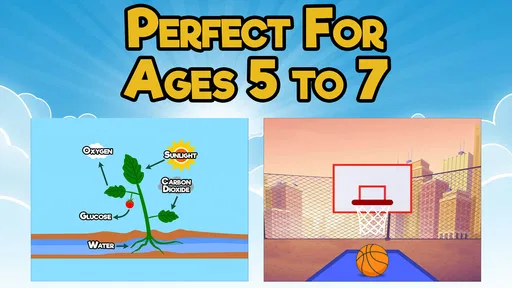
First Grade Learning Games is designed specifically for children aged 5 to 7 years, typically in the first grade. The app focuses on fundamental skills such as math, reading, and critical thinking, providing young learners with engaging and educational content that aligns with their developmental stage.
Does First Grade Learning Games require an internet connection?
No, First Grade Learning Games can be used offline, making it convenient for parents and educators who may not have constant internet access. This feature ensures that children can learn and play anytime, anywhere, without the need for Wi-Fi or data connectivity.
Are there in-app purchases in First Grade Learning Games?
Yes, First Grade Learning Games offers in-app purchases. While the app provides a variety of free content, additional features and games can be unlocked through purchases. Parents should be aware of this to manage spending and ensure children do not make unintended purchases.
Is First Grade Learning Games available on both Android and iOS?
Yes, First Grade Learning Games is available on both Android and iOS platforms. This ensures that a wide range of users can access the app, whether they are using a smartphone or tablet, providing flexibility and convenience for different device preferences.
How does First Grade Learning Games ensure educational quality?
First Grade Learning Games is developed by educational experts and incorporates curriculum-based content to ensure high educational quality. The app uses interactive games and activities to reinforce learning objectives, making it both effective and enjoyable for young children as they develop essential academic skills.
Play our best games!


